We're here to help. Reach out for any inquiries about our products, services, or partnerships.
Choose your operating system to start
A fleet operations dashboard should do more than show vehicle locations. Commercial fleet teams also need access to video events, alerts, and device status to coordinate daily work. When information is spread across separate systems, dispatchers and managers may spend extra time locating records before responding to an issue.
A centralized dashboard brings relevant information into one operating environment. Its purpose is to help teams understand fleet activity, identify exceptions, and coordinate follow-up tasks.
Why should fleet operations use a centralized dashboard?
A centralized dashboard provides teams with a shared view of fleet activity. Dispatchers may need vehicle positions and route history, while safety managers focus on driver events and video records. Technical staff need to check whether connected devices are online and functioning as expected.
When these functions are separated, teams may have difficulty connecting an alert with the correct vehicle or video record. A well-organized fleet telematics platform can help bring these information sources together.
For example, when a vehicle deviates from its planned route, dispatchers can review its location and recent movement. If the situation involves a safety event, the relevant team may also need video footage. Connecting these records can make the review process more straightforward.
Centralization also supports coordination across different depots. Teams can work with a consistent information structure while accessing functions according to their responsibilities.
Which information should a fleet dashboard bring together?
The information displayed should reflect the decisions users make during daily operations. A crowded interface can make important details harder to identify, so companies should prioritize information that supports specific tasks.
A practical dashboard may include:
These records should use consistent vehicle identifiers and timestamps. This makes it easier to associate a location update, video clip, and alert with the same vehicle or event.
Different users may also need different dashboard views. Dispatchers generally need an operational overview, while technical administrators may require more detailed device information. Organizing access around job responsibilities can make the interface easier to use.
How can remote device management support dashboard operations?
A dashboard relies on connected devices to provide fleet information. As deployments expand, configuring equipment and maintaining firmware across multiple locations can become more demanding. Remote device management should therefore be considered during system planning.
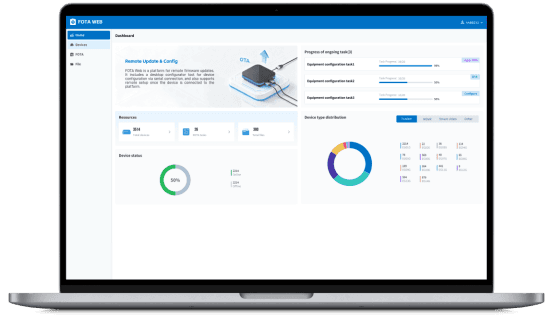
With remote device management, technical teams can handle supported device administration tasks without depending entirely on site visits. BSJ provides tools such as the Configurator for device setup and parameter configuration, and the FOTA Web Platform for remote firmware updates and device maintenance.
These tools address the administration of telematics devices. They should not be confused with vehicle mechanical maintenance, which requires separate inspection and service procedures.
Before deployment, administrators should define device groups, assign configuration permissions, and establish how update results will be checked. They should also decide who will respond when a device goes offline or stops reporting expected information. A clear process helps technical teams investigate connectivity, installation, or equipment-related issues.
What should companies evaluate before deployment?
A dashboard should be tested against actual operating scenarios, not only its visual layout. Fleet owners, system integrators, and platform providers can begin with a pilot involving representative vehicles and users.
| Evaluation area | What to check |
| Data consistency | Can records be matched to the correct vehicle? |
| User access | Can teams access functions relevant to their roles? |
| Integration | Can the system work with existing software and hardware? |
| Device administration | Are configuration and firmware tasks manageable? |
| Expansion | Can the deployment support more vehicles and locations? |
Integration is especially important for companies that already use fleet management software. Compatibility with existing platforms may be more practical than replacing established workflows. Businesses should clarify data requirements and integration responsibilities before implementation.
A pilot should test the full information path, from the vehicle device to the dashboard and the employee responsible for follow-up. It is also useful to review how the system handles connectivity interruptions and device replacement. These checks help identify workflow gaps before the deployment expands.
Making fleet information easier to act on
A centralized dashboard is useful when it helps teams turn information into coordinated action. Connecting vehicle tracking, video records, alerts, and device administration can give operators a clearer view of daily fleet activity.
At BSJ Technology, we provide connected fleet hardware and software tools for commercial fleet operations and integration needs. Companies planning a dashboard should define their operational priorities, test key workflows, and assign clear responsibilities before expanding the system.

BSJ Technology (SZSE: 301608) is a global provider of AI Video Telematics and Connected Fleet IoT solutions. Since 2009, BSJ has developed AI Dashcams, MDVR systems, and GPS tracking solutions for commercial fleets worldwide.